Deployment blueprint

Know where every tug, loader and dolly actually is

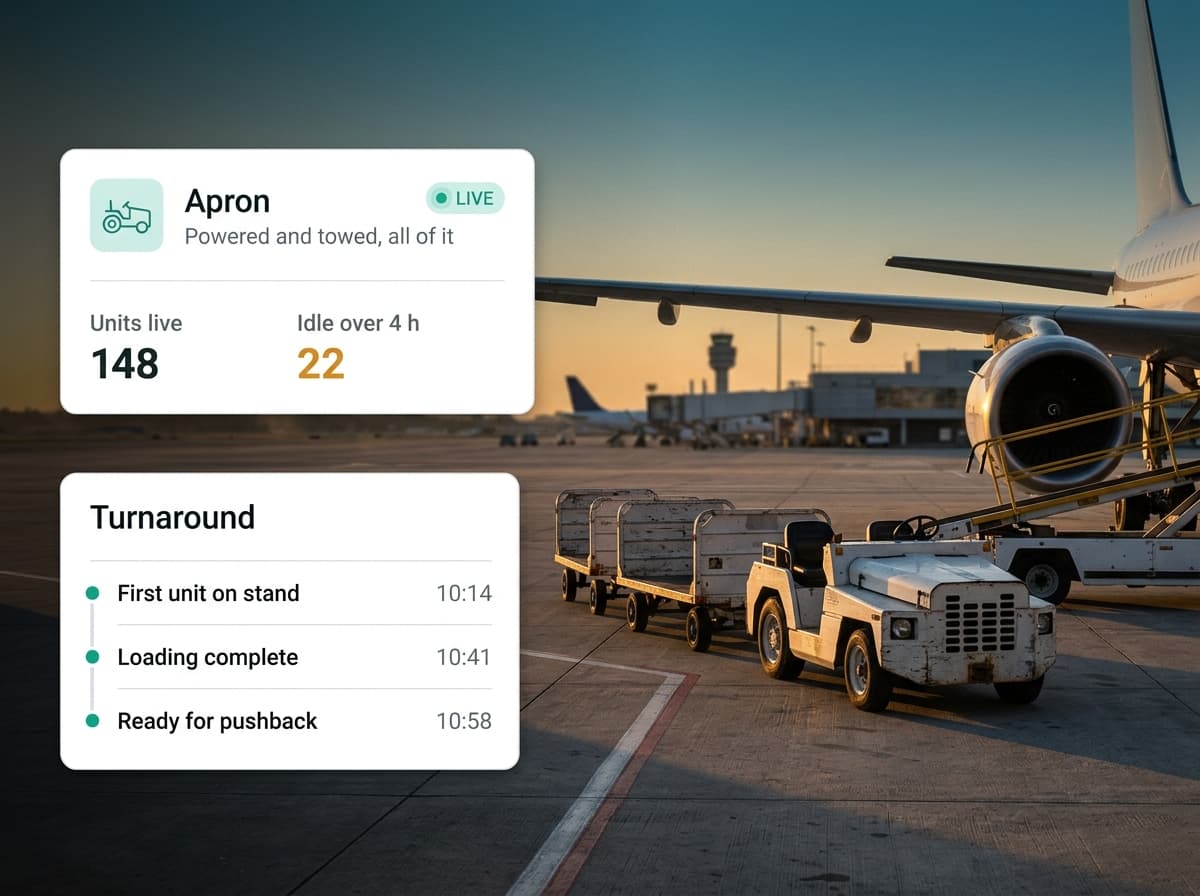
A ground handler runs hundreds of units across dozens of stands. Plenty of them have no ignition, no plate and no service record, so the only way to find one is to drive the apron and look. We put all of them on one live map, count the hours each unit really ran, and show you which ones sit parked while you rent more.

  • GSE utilisation
  • Stand and apron zones
  • Permit expiry per driver
  • Turnaround evidence
Ground crew loading cargo containers beside an aircraft on the apron

Built for this scale

Both halves
Powered and towed equipment
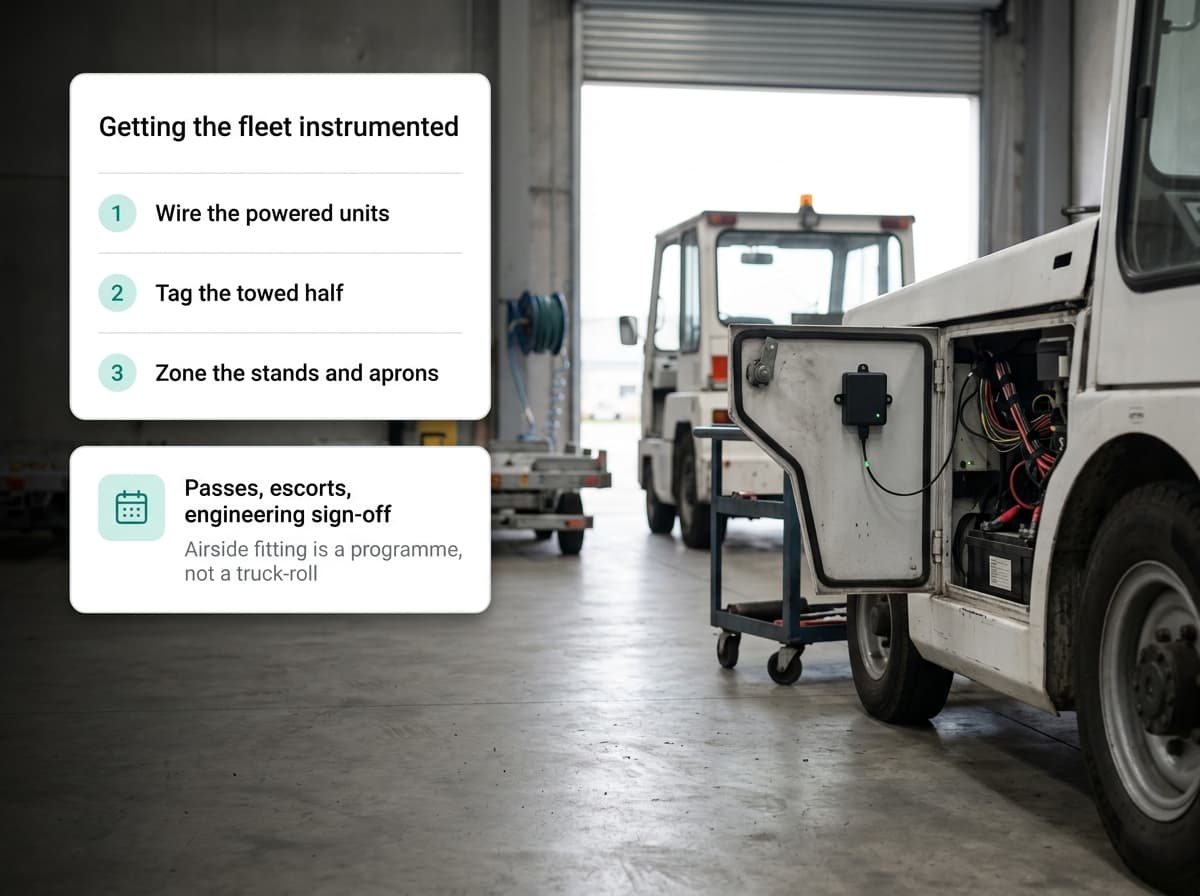
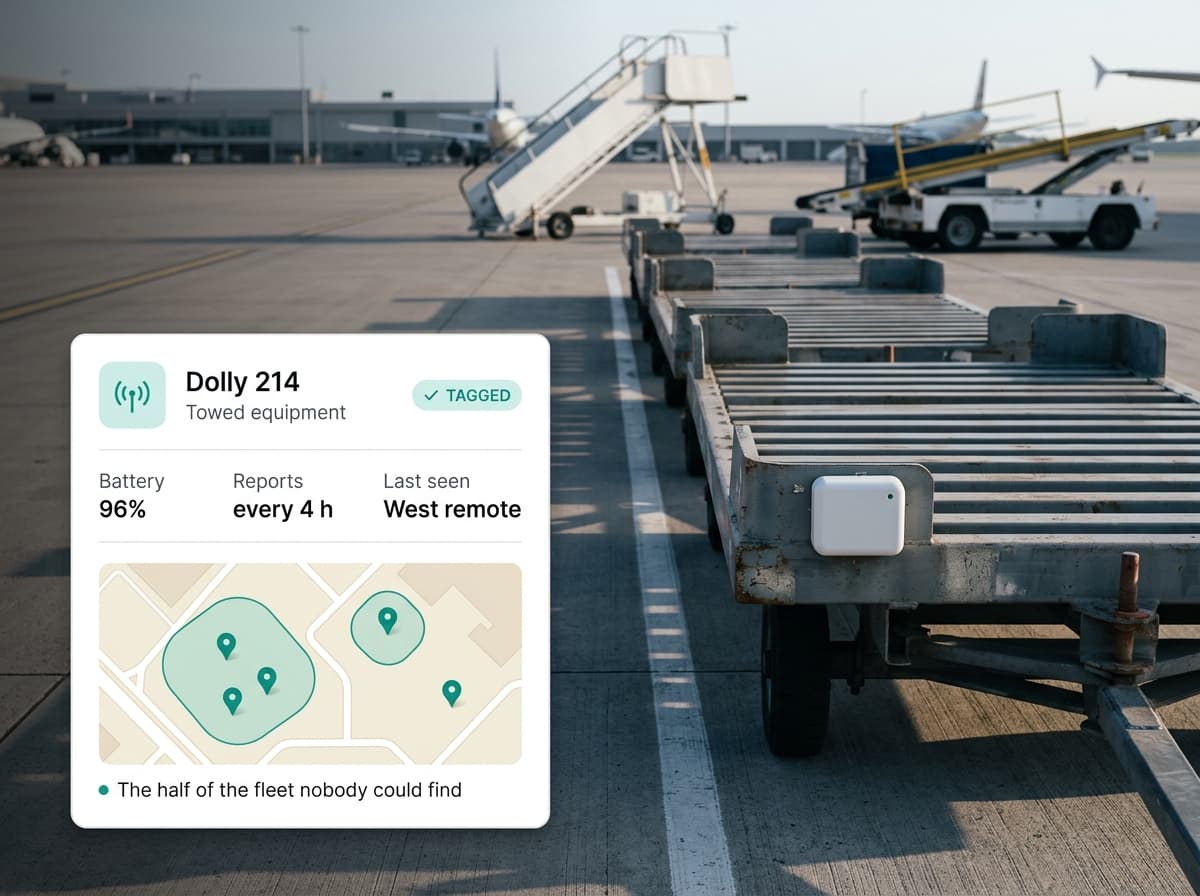
Tugs, loaders and power units take a wired device that reads real engine hours. Dollies, ULD carts and stairs take a battery tag that needs no power at all. Both land on the same map.
Per zone
Stands, service roads, restricted areas
Draw each area once. Every entry, every exit, and how long a unit stayed becomes an event you can alert on and report against.
Per driver
Airside permits tracked to the date
Permit, licence and fitness expiry are already tracked per person and per vehicle, with a warning window before anything lapses.
Per handler
Each company sees only its own kit
If you are the airport rather than the handler, every handler reads its own slice of the same data through the organisation tree.

The challenges

What operators are up against

Four things go wrong on almost every ramp. None of them are really software problems — they are record-keeping problems that software happens to fix.

Challenge

Half the fleet has no ignition

Dollies, ULD carts, chocks and passenger stairs have no engine and no odometer, so nothing about them generates a record. The inventory is whatever the last physical count said it was, and locating one specific unit means walking the apron until you see it.
Challenge

You rent equipment you already own

With no real engine hours, nobody can prove a unit is idle. So peak season arrives, the ramp reports a shortage, and short-term rentals go on the books alongside equipment that has been parked for three weeks.

Challenge

Turnaround disputes come down to memory

An airline says the loader arrived late. The handler says it was there. Without a timestamped record of which unit was at which stand and when, that gets settled by whoever argues harder — and it is rarely the handler.

Challenge

Permits lapse quietly

Airside driving permits expire on a date nobody is actively watching. Often the first time anyone notices is a spot check, an audit, or an incident involving a driver who should not have been on the apron that morning.

How it would work

How we would set this up

Start with the equipment, because that is where the money comes back and it needs nothing from anybody else's systems. Wired devices go on the powered units and read genuine engine hours. Battery tags go on the towed kit. Stands, service roads and restricted areas get drawn as zones once. From day one that gives you a live apron map, real hours per unit, utilisation by equipment class, and service intervals that key off actual usage instead of the calendar.

The architectural point

Straight answer on where we stand: we have not run this at an airport yet. What we have run is the harder half — authorities supervising fleets they do not own, scored against contracts, with evidence that holds up when a contractor disputes it. A handler answering an airline on turnaround times is that same problem wearing different clothes. The genuinely new part is flight context, and that is an integration we would scope with you rather than pretend is already built.

pulse.app/airside

Units live

214

Idle 7+ days

38

Permits expiring

6

Stands active

41

Apron · live

live
  • Belt loader 12 · idle 9 days

    Pool C · no engine hours logged

  • Tug 44 · entered restricted zone

    Taxiway link · 06:12

  • Power unit 07 · service due

    412 h since last interval

GSE engine hours · last 12 days

Illustrative console view — sample data, not a live operation.

Hardware in the field

What goes on the asset

Worth planning for honestly: fitting anything airside is a programme, not a truck-roll. Passes, escorts and engineering sign-off all take time.

Integrations

Connected to what you already run

Three of these are routine for us. The first one is the real project, and we would rather flag that now than at the kick-off meeting.

  • AODB and A-CDM — the real work

    Turnaround timing only means anything once it is joined to a flight: which stand, which aircraft, on-block and off-block. That means integrating the airport operational database and the A-CDM milestones. It is the largest single build on this page and not something we would quote blind.

  • Maintenance and asset systems

    Engine hours feed your existing maintenance planner, so service intervals come off real usage instead of a spreadsheet.

  • HR and permit records

    Driver permits and airside authorisations reconcile against the records HR already keeps, so expiry warnings come from one source.

  • Identity provider and SSO

    Staff and handler access authenticate against your existing directory, scoped by position in the organisation tree.

FAQ

Questions we get asked first

Short answers here — the detailed version is a conversation whenever you're ready.

Discuss your deployment

Ready to deploy at your scale?

Sovereign-data-friendly. Enterprise multi-org architecture. Built to integrate with the devices, SIM providers, and back-office systems you already run.

Real-time GPS · sub-1s latency12+ fleet analytics modulesMulti-org · white-label readyOn-premise deployment option